
Customers are asking AI who to hire. See if it recommends you ›
Atlas Systems
Atlas Systems
Built around how you work.
A custom CRM, AI assistance and a website your team controls. Designed for your business, not adapted from a template.

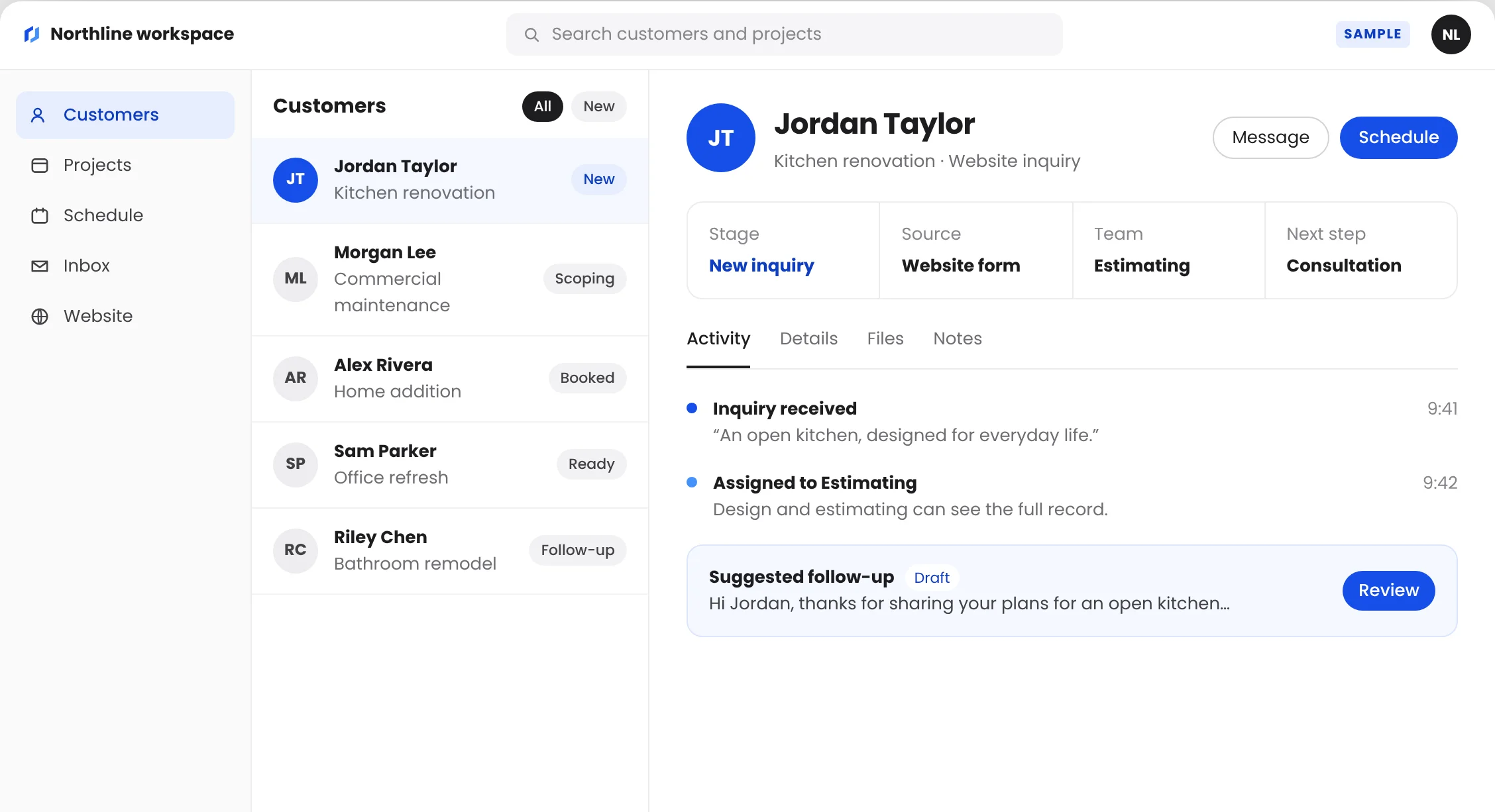
Sample workspace for a fictional business.¹ Every Atlas system is designed for the client it serves.
Custom CRM
Everything your team needs. Nothing it doesn’t.





Modeled on an invoicing system Atlas built for a plumbing client. Names, places and amounts are fictional.¹
One record per customer.
Contact details, the project and every conversation, kept together.
JT
Jordan Taylor
Kitchen renovation
New
A pipeline shaped like your process.
Stages named the way your team already talks about the work.
New
Kitchen J. Taylor
Maintenance M. Lee
Talking
Addition A. Rivera
Ready
Office S. Parker
Schedules with context.
Every appointment links back to the customer and the project.
09:00
Team project review
10:30
Consultation · Alex Rivera
14:00
Follow-up · Jordan Taylor
Inquiries arrive complete.
Website forms feed the record directly, so nobody retypes the details.

New website inquiry
Jordan Taylor · Kitchen renovation
now
Connected to the tools you use.
Integrations are scoped with you, based on the tools already in place.
Calendar
Phone
Accounting
Website
Ads
Access for the right people.
Roles that match who does what, so each person sees what they need.
Custom CRM
Everything your team needs.
Nothing it doesn’t.


Know where the money is.
Invoiced, collected, outstanding and overdue, side by side.
Every invoice, tracked.
See what was sent, viewed, paid or overdue.
Paid, and on the record.
Payments and shared files live on the customer record.
Modeled on an invoicing system Atlas built for a plumbing client. Names, places and amounts are fictional.¹
One record per customer.
Contact details, the project and every conversation, kept together.
JT
Jordan Taylor
Kitchen renovation
New
A pipeline shaped like your process.
Stages named the way your team already talks about the work.
New
Kitchen J. Taylor
Maintenance M. Lee
Talking
Addition A. Rivera
Ready
Office S. Parker
Schedules with context.
Every appointment links back to the customer and the project.
09:00
Team project review
10:30
Consultation · Alex Rivera
14:00
Follow-up · Jordan Taylor
Inquiries arrive complete.
Website forms feed the record directly, so nobody retypes the details.
New website inquiry
Jordan Taylor · Kitchen renovation
now
Connected to the tools you use.
Integrations are scoped with you, based on the tools already in place.
Calendar
Phone
Accounting
Website
Ads
Access for the right people.
Roles that match who does what, so each person sees what they need.


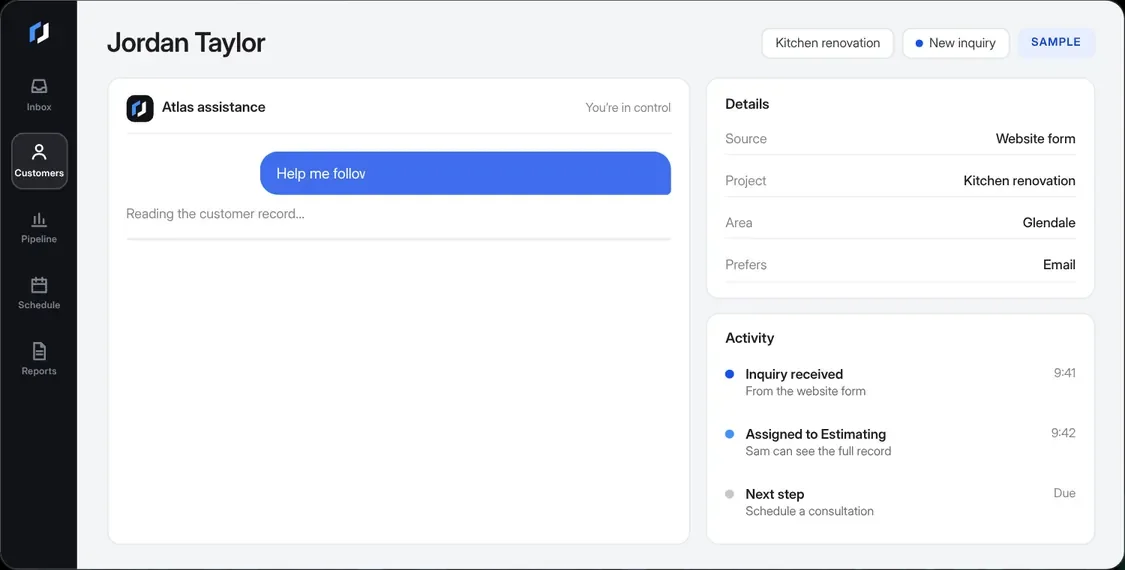
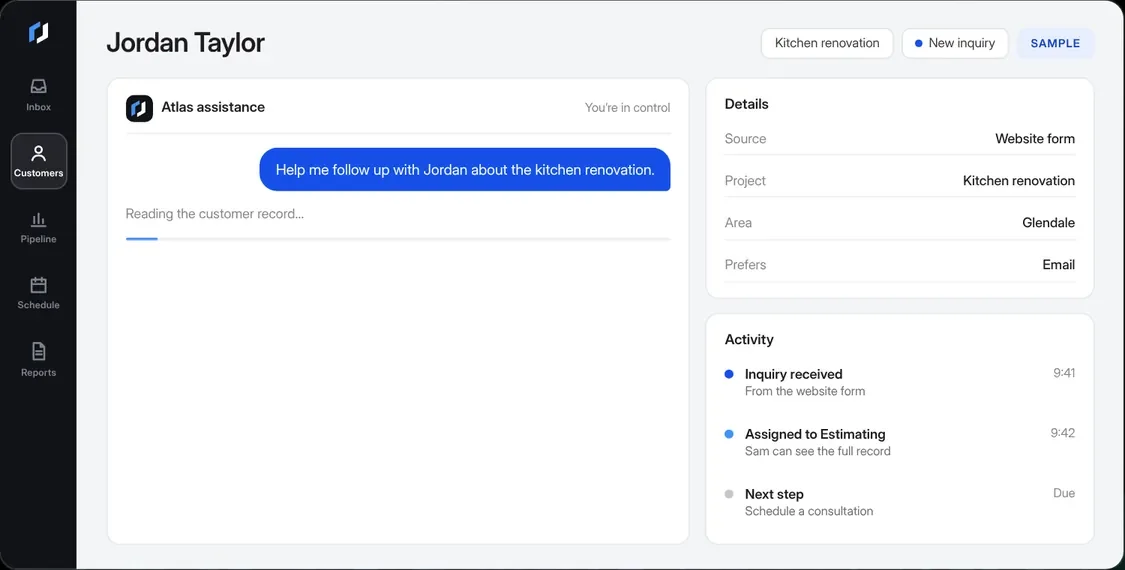
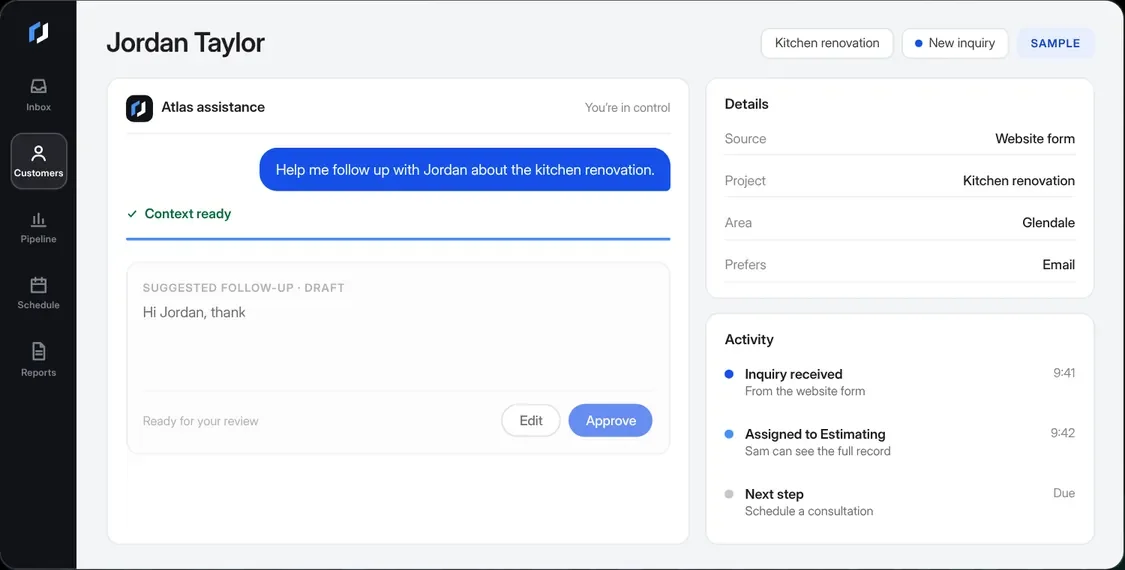
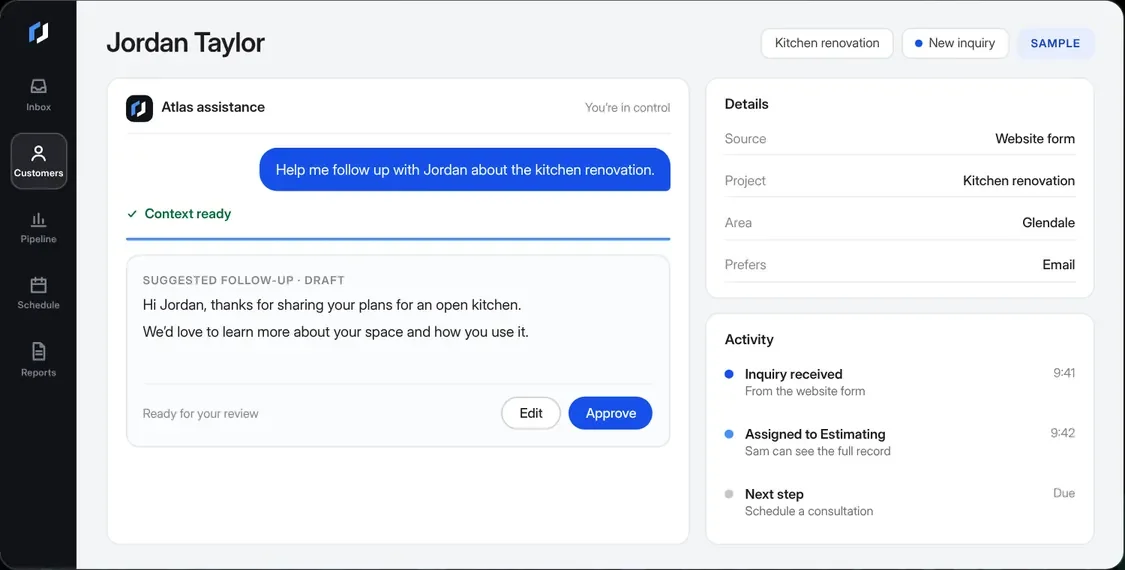
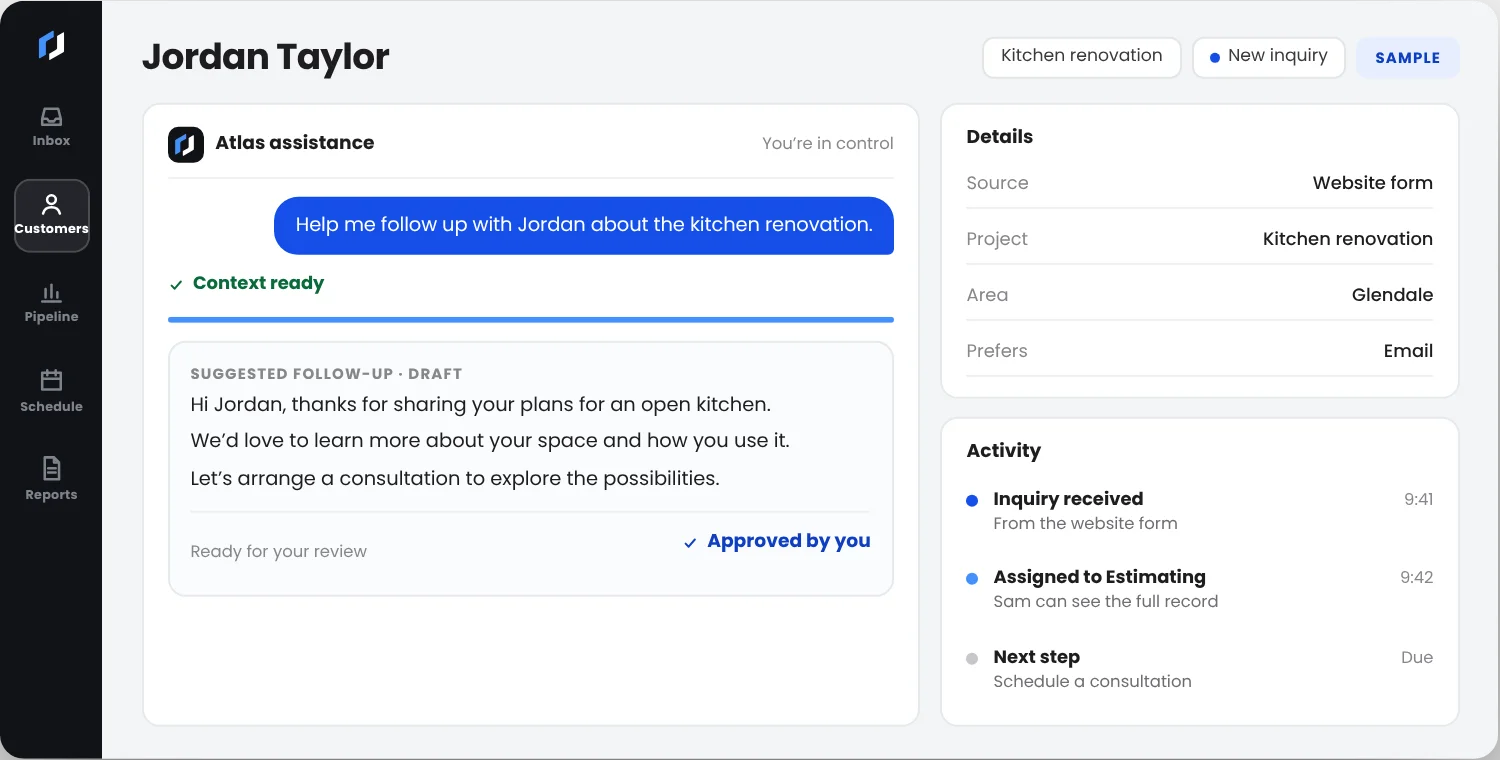
Reads the record you keep.
Context comes from your own customer record, not guesswork.
Prepares a draft.
A starting point for a personal reply, in plain language.
Waits for a person.
Your team edits, approves or discards it. Nothing goes out on its own.

AI assistance
AI that knows its place.
By your side.
It organizes the context and prepares the response. Your team decides what goes out.
Scripted demonstration with sample data. Nothing is sent.²
Content management
Your website. Your edits.
Change a headline, update a service or add a project. Your team edits the content; the design system keeps every page consistent.


Illustrative content studio. Nothing here is published.¹
Edit text and images.
Update the content that changes most, without touching code.
Preview, then publish.
See the change on the page before anyone else does.
Access by role.
Decide who can draft, who can publish and who can only view.
Content management
Your website.
Your edits.
Change a headline, update a service or add a project. Your team edits the content; the design system keeps every page consistent.


Edit text and images.
Update the content that changes most, without touching code.
Preview, then publish.
See the change on the page before anyone else does.
Access by role.
Decide who can draft, who can publish and who can only view.
Illustrative content studio. Nothing here is published.¹
Understand. Design. Connect.
01
Understand the work.
Start with your people, customers, tools and ambitions. Find where the experience breaks down.
02
Shape the right system.
Define the website, workflows, integrations, ownership and success criteria together.
03
Build with real scenarios.
Review with your team, test the connections and agree what ongoing support looks like.

Let’s design your system.
Tell us how your business works today. We’ll map what a custom system could change.
Sample workspace and content for a fictional business, NORTHLINE Home Services. Customer names are fictional.
The AI assistance shown is a scripted demonstration. No AI request or message is sent. AI features are scoped for each client.
